
Pico Coding for Year 5 students
Pico Coding for Year 5 students
Our contents are aligned with the Digital Technologies learning area of the Australian Curriculum (version 9.0) for year 5
Our contents are aligned with the Digital Technologies learning area of the Australian Curriculum (version 9.0) for year 5


See Pico in action
See Pico in action
Discover how our contents meet students' learning outcomes
Conditional logic
Learn conditional logic through merging donuts
Learn conditional logic through merging donuts
Learn conditional logic through merging donuts
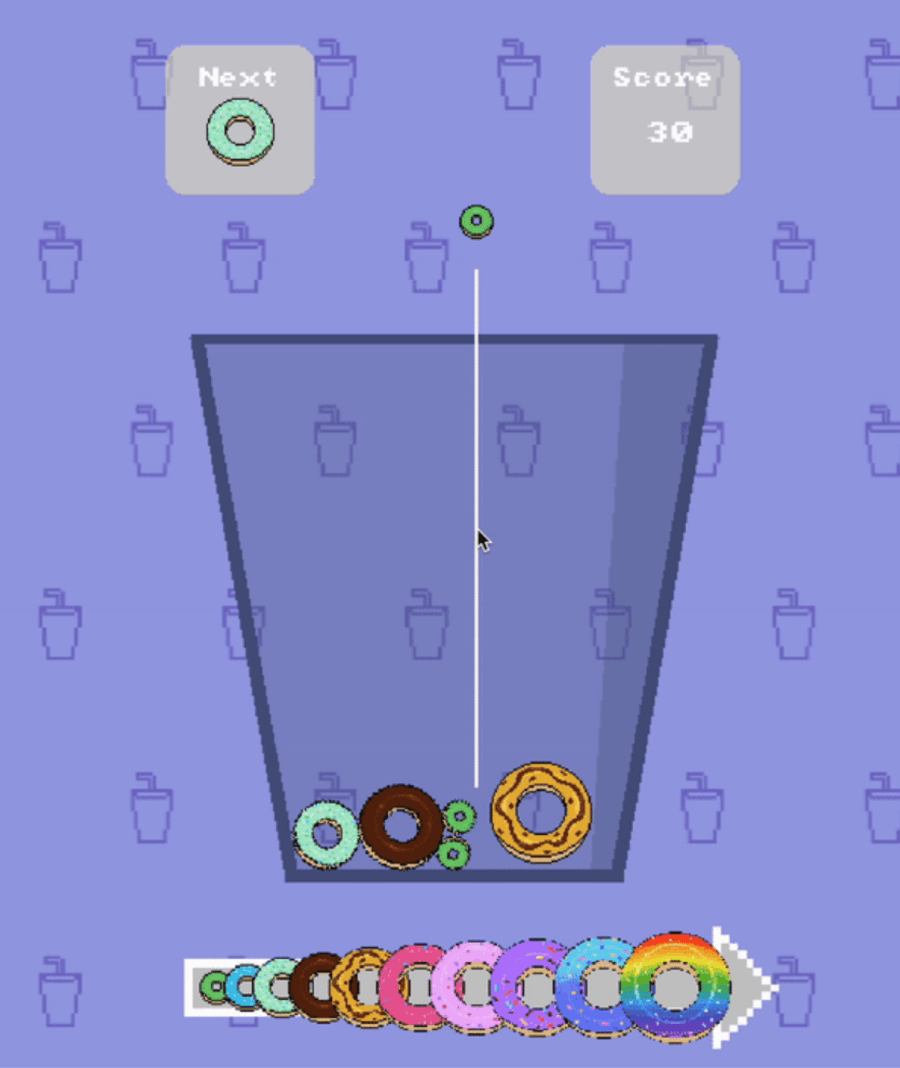
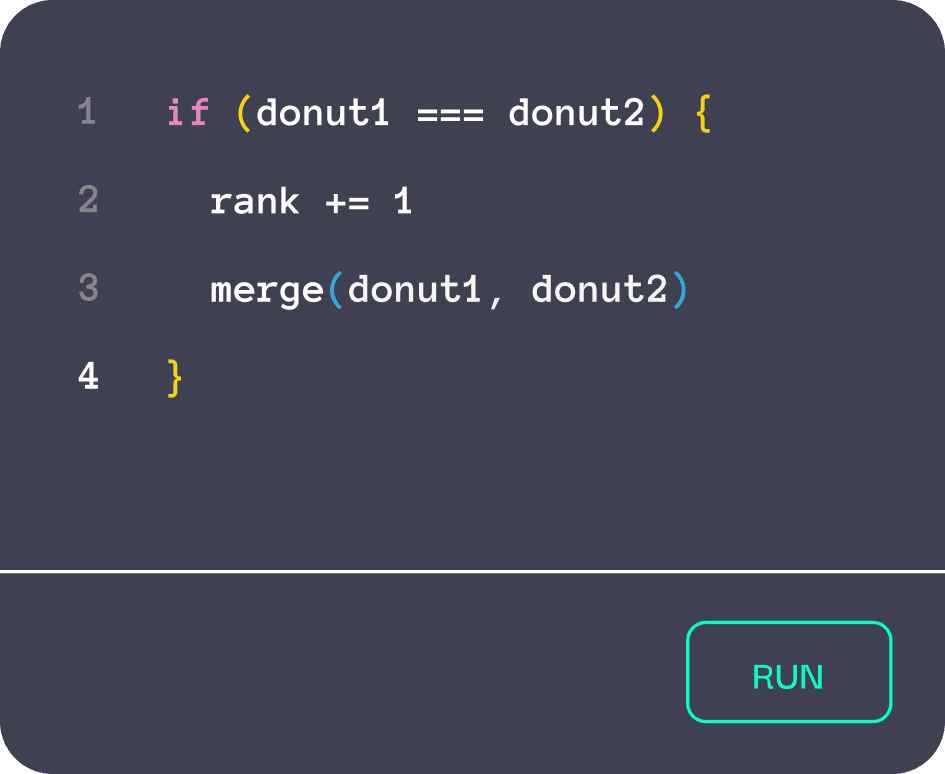
Donuts is a fun merge game where students combine donuts to create the ultimate rainbow donut while learning important coding concepts! They’ll start by using built-in functions to set up the game. As they merge donuts, they'll apply conditional logic to see how their choices affect the game.

User input
Learn user input through arrow challenges
Learn user input through arrow challenges
Learn user input through arrow challenges
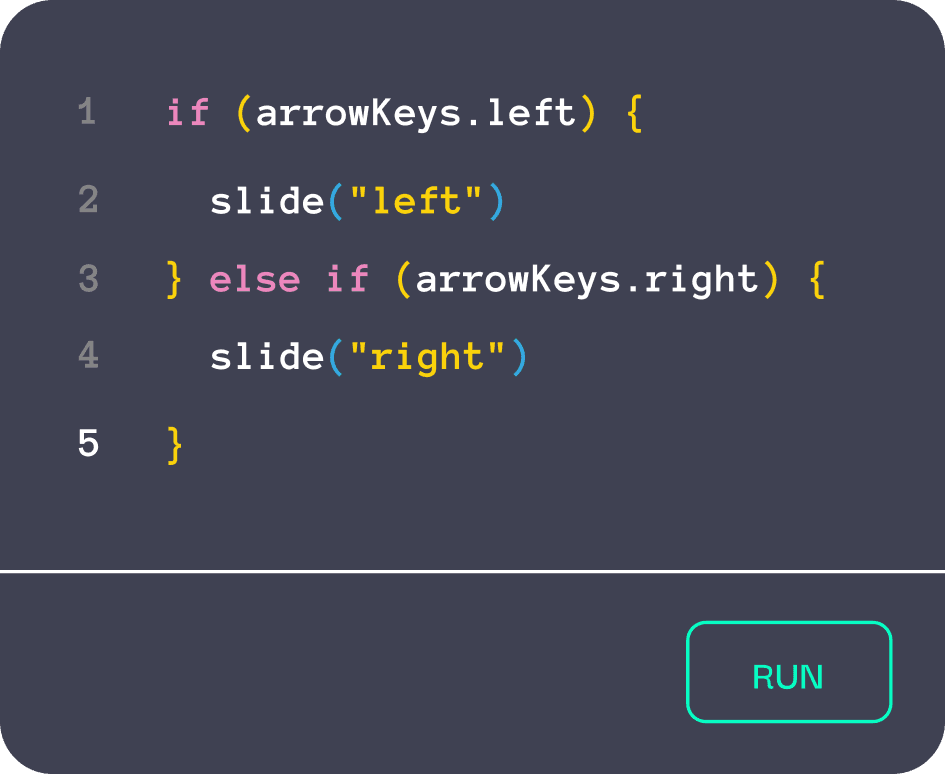
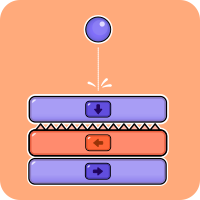
Arrows is a fast-paced reaction game where students slide blocks off one by one using the arrow keys that match the direction of the top block. Students will learn how to respond to user input and keyboard events. They’ll use conditional logic to build the basic mechanics of the game, mastering how to slide blocks using the keyboard's arrow keys.
See Pico in action
Discover how our contents meet students' learning outcomes
Key skills development
Key skills development
Building essential tech skills for Year 5 students
Building essential tech skills for Year 5 students

Investigating Digital Systems
Pico Coding helps Year 5 students understand how digital systems process information and follow logical structures. Students explore how components work together, building stronger systems thinking and technical understanding.
Pico Coding helps Year 5 students understand how digital systems process information and follow logical structures. Students explore how components work together, building stronger systems thinking and technical understanding.

Using Data to Shape Solutions
Students work with data and variables that influence how their solutions behave. Pico Coding helps students see how data supports decision-making and improves functionality within digital solutions.
Students work with data and variables that influence how their solutions behave. Pico Coding helps students see how data supports decision-making and improves functionality within digital solutions.

Designing Algorithms with Logic
Pico Coding enables students to create efficient solutions using logical decisions and repetition. Challenges increase in complexity, helping students move beyond simple sequences to more structured problem-solving.
Pico Coding enables students to create efficient solutions using logical decisions and repetition. Challenges increase in complexity, helping students move beyond simple sequences to more structured problem-solving.

Designing, Testing and Refining
Students plan, build, test and improve their digital solutions. Pico Coding encourages iteration and reflection, helping students understand that strong solutions develop over time.
Students plan, build, test and improve their digital solutions. Pico Coding encourages iteration and reflection, helping students understand that strong solutions develop over time.
Curriculum alignment
Curriculum alignment
All our contents are aligned to the Digital Technologies learning area of the Australian Curriculum (version 9.0)
All our contents are aligned to the Digital Technologies learning area of the Australian Curriculum (version 9.0)
Topic
Code
Content
Pico alignment
Digital systems I
AC9TDI6K01
Investigate the main internal components of common digital systems and their function
Partially meets
Digital systems II
AC9TDI6K02
examine how digital systems form networks to transmit data
Partially meets
Data
representation I
AC9TDI6K03
Explain how digital systems represent all data using numbers
Meets
Data
representation II
AC9TDI6K04
Explore how data can be represented by off and on states (zeros and ones in binary)
Meets
Investigating and
defining
AC9TDI6P01
Follow and describe algorithms involving sequencing, comparison operators (branching) and iteration
Partially meets
Generating and
designing I
AC9TDI6P02
Design algorithms involving multiple alternatives (branching) and iteration
Meets
Generating and
designing II
AC9TDI6P03
Design a user interface for a digital system
Meets
Generating and
designing III
AC9TDI6P04
Generate, modify, communicate and evaluate designs
Meets
Producing and
implementing
AC9TDI6P05
Implement simple algorithms as visual programs involving control structures, variables and input
Meets
Evaluating
AC9TDI6P06
Evaluate existing and student solutions against the design criteria and user stories and their broader community impact
Meets
Collaborating and
managing I
AC9TDI6P07
Select and use appropriate digital tools effectively to create, locate and communicate content, applying common conventions
Partially meets
Collaborating and
managing II
AC9TDI6P08
Select and use appropriate digital tools effectively to share content online, plan tasks and collaborate on projects, demonstrating agreed behaviours
Partially meets
Privacy and
security I
AC9TDI6P09
Access multiple personal accounts using unique passphrases and explain the risks of password re-use
Meets
Privacy and
security II
AC9TDI6P10
Explain the creation and permanence of their digital footprint and consider privacy when collecting user data
Partially meets
Topic
Code
Pico alignment
Digital systems I
AC9TDI6K01
Partially meets
Digital systems II
AC9TDI6K02
Partially meets
Data representation I
AC9TDI6K03
Meets
Data representation II
AC9TDI6K04
Meets
Investigating and defining
AC9TDI6P01
Partially meets
Generating and designing I
AC9TDI6P02
Meets
Generating and designing II
AC9TDI6P03
Meets
Generating and designing III
AC9TDI6P04
Meets
Producing and implementing
AC9TDI6P05
Meets
Evaluating
AC9TDI6P06
Meets
Collaborating and managing
I
AC9TDI6P07
Partially meets
Collaborating and managing
II
AC9TDI6P08
Partially meets
Privacy and security I
AC9TDI6P09
Meets
Privacy and security II
AC9TDI6P10
Partially meets
Code
Pico alignment
AC9TDI6K01
Partially meets
AC9TDI6K02
Partially meets
AC9TDI4K03
Meets
AC9TDI4K04
Meets
AC9TDI4P01
Partially meets
AC9TDI4P02
Meets
AC9TDI4P03
Meets
AC9TDI4P04
Meets
AC9TDI4P05
Meets
AC9TDI4P06
Meets
AC9TDI4P07
Partially meets
AC9TDI4P08
Partially meets
AC9TDI4P09
Meets
AC9TDI4P10
Partially meets
Hundreds of activities to learn from
Get ready to experience hours of fun

































Hundreds of activities to learn from
Get ready to experience hours of fun
Hundreds of activities to learn from
Get ready to experience hours of fun