
Pico Coding for Year 3 students
Pico Coding for Year 3 students
Our contents are aligned with the Digital Technologies learning area of the Australian Curriculum (version 9.0) for year 3
Our contents are aligned with the Digital Technologies learning area of the Australian Curriculum (version 9.0) for year 3

See Pico in action
See Pico in action
Discover how our contents meet students' learning outcomes
Variables
Learn to represent data as variables
Learn to represent data as variables
Learn to represent data as variables
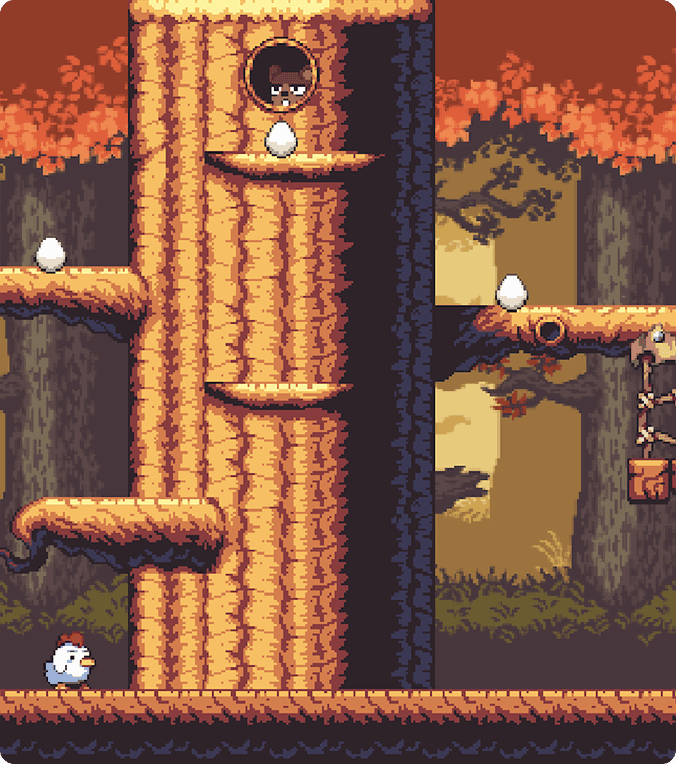
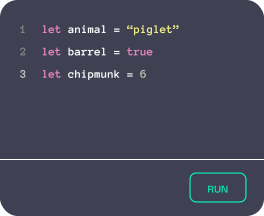
Maple is a game involving chicken and eggs where students develop basic programming skills by using variables to store and manipulate different data types, including numbers, strings, and Boolean values. These variables are used to represent and control key elements of the game, supporting students’ understanding of data representation.
Functions
Learn to perform actions with functions
Learn to perform actions with functions
Learn to perform actions with functions
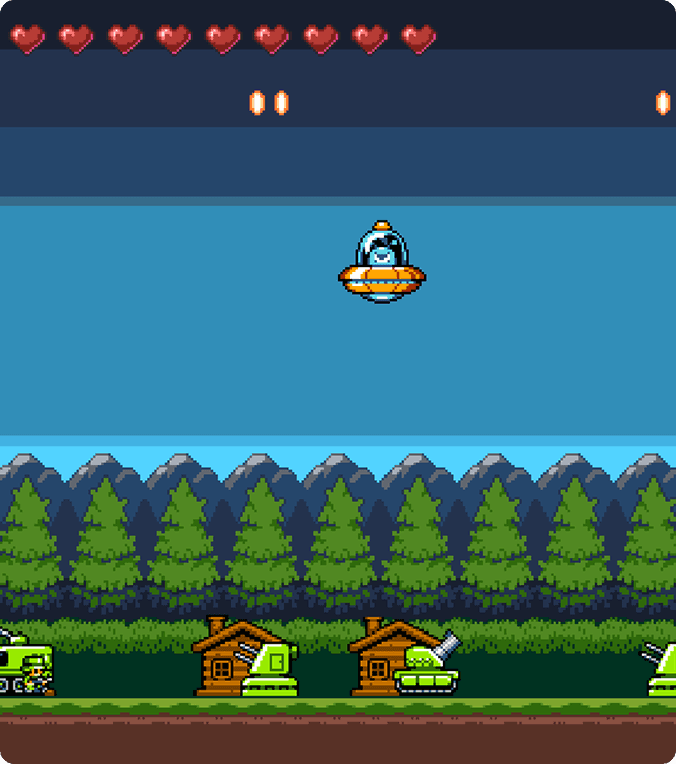
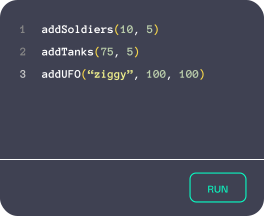
UFO is a quirky game-based activity where students learn to create and use functions to add different characters into the game. They explore how function inputs (parameters) can be used to customise behaviour, controlling how objects such as soldiers, tanks, and UFOs operate within the game.
See Pico in action
Discover how our contents meet students' learning outcomes
Key skills development
Key skills development
Building essential tech skills for Year 3 students
Building essential tech skills for Year 3 students

Understanding Digital Systems
Pico Coding introduces Year 3 students to how digital systems follow instructions. Through visual and interactive activities, students learn that computers respond exactly to what they are told, helping them develop early systems thinking in a clear and age-appropriate way.
Pico Coding introduces Year 3 students to how digital systems follow instructions. Through visual and interactive activities, students learn that computers respond exactly to what they are told, helping them develop early systems thinking in a clear and age-appropriate way.

Exploring Data and Information
Students learn that information can be represented in different ways, such as numbers, symbols and visual patterns. Pico Coding makes data concepts concrete by showing how inputs affect outcomes, supporting early data understanding without complex language.
Students learn that information can be represented in different ways, such as numbers, symbols and visual patterns. Pico Coding makes data concepts concrete by showing how inputs affect outcomes, supporting early data understanding without complex language.

Creating Simple Algorithms
Pico Coding supports students to create step-by-step solutions by sequencing instructions to achieve a goal. Activities focus on logical order and cause-and-effect, helping students build foundational computational thinking skills with confidence.
Pico Coding supports students to create step-by-step solutions by sequencing instructions to achieve a goal. Activities focus on logical order and cause-and-effect, helping students build foundational computational thinking skills with confidence.

Testing and Improving Solutions
Students test their work, identify errors and make simple improvements. Pico Coding presents debugging as a normal part of learning, helping students build persistence, confidence and problem-solving skills.
Students test their work, identify errors and make simple improvements. Pico Coding presents debugging as a normal part of learning, helping students build persistence, confidence and problem-solving skills.
Curriculum alignment
Curriculum alignment
All our contents are aligned to the Digital Technologies learning area of the Australian Curriculum (version 9.0)
All our contents are aligned to the Digital Technologies learning area of the Australian Curriculum (version 9.0)
Topic
Code
Content
Pico alignment
Digital systems I
AC9TDI4K01
Explore and describe a range of digital systems and their peripherals for a variety of purposes
Meets
Digital systems II
AC9TDI4K02
Explore transmitting different types of data between
digital systems
Partially meets
Data representation
AC9TDI4K03
Recognise different types of data and explore how the same data can be represented differently depending on the purpose
Meets
Investigating and
defining
AC9TDI4P01
Define problems with given design criteria and by co-creating user stories
Meets
Generating and
designing I
AC9TDI4P02
Follow and describe algorithms involving sequencing, comparison operators (branching) and iteration
Meets
Generating and
designing II
AC9TDI4P03
Generate, communicate and compare designs
Meets
Producing and
implementing
AC9TDI4P04
Implement simple algorithms as visual programs involving control structures and input
Meets
Evaluating
AC9TDI4P05
Discuss how existing and student solutions satisfy the design criteria and user stories
Meets
Collaborating and
managing I
AC9TDI4P06
Use the core features of common digital tools to create, locate and communicate content, following agreed conventions
Partially meets
Collaborating and
managing II
AC9TDI4P07
Use the core features of common digital tools to share content, plan tasks, and collaborate, following agreed behaviours, supported by trusted adults
Partially meets
Privacy and
security I
AC9TDI4P08
Access their school account using a memorised password and explain why it should be easy to remember, but hard for others to guess
Meets
Privacy and
security II
AC9TDI4P09
Identify what personal data is stored and shared in their online accounts and discuss any associated risks
Partially meets
Topic
Code
Pico alignment
Digital systems I
AC9TDI4K01
Meets
Digital systems II
AC9TDI4K02
Partially meets
Data representation
AC9TDI4K03
Meets
Investigating and defining
AC9TDI4P01
Meets
Generating and designing I
AC9TDI4P02
Meets
Generating and designing II
AC9TDI4P03
Meets
Producing and implementing
AC9TDI4P04
Meets
Evaluating
AC9TDI4P05
Meets
Collaborating and managing
I
AC9TDI4P06
Partially meets
Collaborating and managing
II
AC9TDI4P07
Partially meets
Privacy and security I
AC9TDI4P08
Meets
Privacy and security II
AC9TDI4P09
Partially meets
Code
Pico alignment
AC9TDI4K01
Meets
AC9TDI4K02
Partially meets
AC9TDI4K03
Meets
AC9TDI4P01
Meets
AC9TDI4P02
Meets
AC9TDI4P03
Meets
AC9TDI4P04
Meets
AC9TDI4P05
Meets
AC9TDI4P06
Partially meets
AC9TDI4P07
Partially meets
AC9TDI4P08
Meets
AC9TDI4P09
Partially meets
Hundreds of activities to learn from
Get ready to experience hours of fun


























Hundreds of activities to learn from
Get ready to experience hours of fun
Hundreds of activities to learn from
Get ready to experience hours of fun